How to Start Testing When You Don't Know Where to Start
A practical framework to identify bottlenecks across your funnel, prioritize experiments, and focus on the tests that actually move onboarding, trials, and revenue.

When your subscription app has enough data to analyze but performance is still below benchmarks, it's hard to know where to start. Should you fix the App Store page? Redesign onboarding? Test new pricing? In this article, we'll define a diagnostic framework that helps you identify your biggest opportunities and build a test plan to boost your app's performance.
To start the analysis, it's important to deepen your understanding of the competitive landscape and niche benchmarks, and to ground it with real product data. My personal opinion? The best way to understand your competitors is to actually download and use their apps. I love automation tools, but they can't give you 100% of the actual user experience.
Industry experts such as Business of Apps publish comprehensive benchmark analytics on a yearly basis. Try to get the most actionable information out of them. They'll give you the baseline to measure your performance against.
Once you've gathered competitive insights and benchmarks, here's how to diagnose where your biggest opportunities lie. The framework is simple: start at the top of your funnel and work your way down. Each step will help you identify bottlenecks and prioritize what to test first. The goal is to find where you're losing users (or money) and fix it systematically.
Step 1: Look at Your Funnel
I mean, look at your funnel holistically, including App Store Connect statistics. How far are you from the App Store benchmarks? If your App Store conversion level isn't impressive, that's a good place to start. App Store optimization, icons test & screens test are very underrated and can make a huge impact.
Step 2: Look at Your Onboarding Performance
How many people complete the onboarding and reach the paywall? Where do they churn?
For shorter, value-focused onboardings of 3–5 screens (typical for Business & Productivity apps), around 80% of users should reach the onboarding paywall. If you have less, it's a signal to focus on onboarding optimization and value presentation.
For long, personalization-focused onboardings with quizzes and 30+ screens, the completion rate can be significantly lower. Around 60% onboarding paywall reach can be fine there, but only if your conversion meets the benchmark and lets you get ROAS-positive traffic. If not, iterate on it.
Step 3: Analyze Your Trial Conversion Performance
If you have a low conversion to trial (or to paid in case you don't offer a trial), there are three possible reasons:
Your pricing is off
This is the easiest opportunity to fix. If conversion doesn't happen due to high prices, check the competitive periods and prices, then adjust your offers to match the niche.
You didn't explain what people get with the subscription
Same as with onboarding, it's extremely important to present the values and benefits correctly on the paywall. Your value offer should be:
- Short
- Clear
- Easy to understand
It can be supported with a value stack to show the list of features or use cases to increase the perceived value.
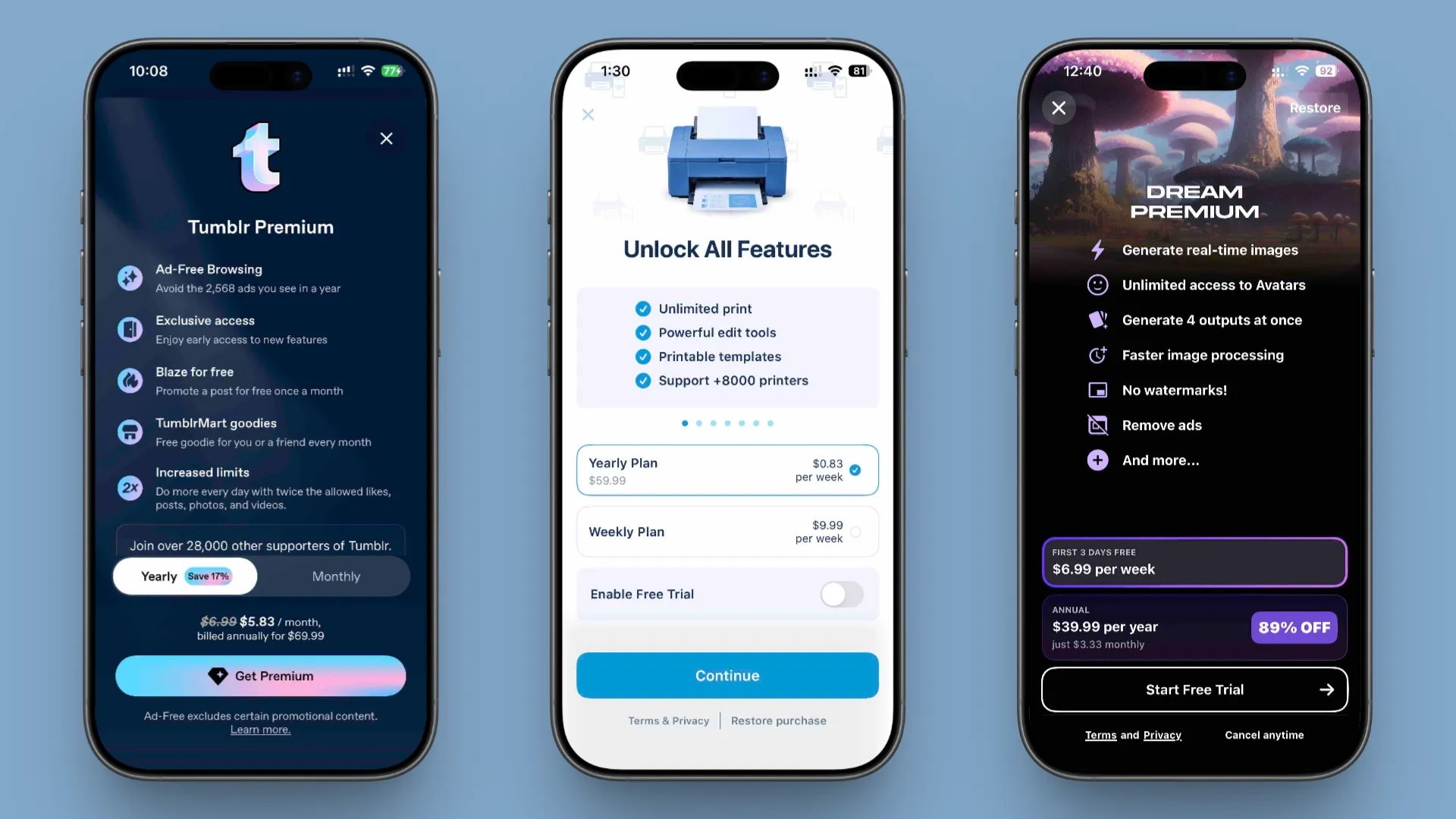
Your paywall design underperforms
There are endless possible reasons why the paywall design underperforms — from visual bugs to approaches that don't match the niche or audience expectations.
A good place to start:
- Review competitor paywalls
- Identify industry-standard design patterns
- Compare your screen with top-performing apps
- Build a test plan to close the gap
Step 4: Analyze Your Trial-to-Paid Conversion Performance
If your app converts well to trial but conversion from trial to paid is low, that indicates:
- There's a mismatch between the value promise and the product itself
- The product quality doesn't meet expectations
This mismatch can lead to App Store rating decreases as well as revenue loss. This is the trickiest one on the list. If this is what's happening with your app, I'd recommend reviewing the app performance, feature setup, and how much the app actually matches current industry standards and user expectations. It may require deeper research and a significant app update. But it's definitely possible to fix this gap within a reasonable amount of time.
Putting It All Together
When you analyze your app using this framework, you can identify a list of opportunities that can increase your app's performance and create a test plan focused on the areas with the highest growth potential.
The key is prioritization. Not all opportunities are created equal. Focus on the bottleneck that's costing you the most users or revenue first. If 50% of users drop off during onboarding, fix that before testing trial period lengths or paywall configuration.
Your test plan should be realistic and sequenced. Quick wins on paywalls can fund longer onboarding rebuilds. App Store tests can run parallel to product tests. The goal isn't perfection, it's progress. Each test teaches you something about your users, and each insight compounds into better performance over time.
If your main bottleneck turns out to be pricing or paywall conversion, you might find it useful to explore this article: three proven paywall and pricing experiments that indie app teams use to increase revenue.
Hope this framework was useful for you. Continue testing and iterating. Try new approaches, concepts, and messages. The more tests you run, the higher your chances of reaching peak performance.
If you're looking for a way to apply this framework in practice, try Superwall for free and make it easier to run and iterate on onboarding, pricing, and paywall tests without slowing down your team.
Keep experimenting, stay curious, and remember, every test is a step toward better understanding what your users really need.